Most local businesses have a website. Very few of them show up on the first page of Google when someone in their city searches for what they offer. The gap between ranking and not ranking almost always comes down to the same set of on-page SEO fundamentals — and after building and optimising 50+ client sites, I've distilled them into this checklist that I run on every single project.
1. Title Tags & Meta Descriptions
Your title tag is the most important on-page SEO element. It's what Google displays in search results and what tells the search engine what your page is about. Yet most local business sites either leave them at the default theme placeholder or stuff them with a wall of keywords.
Include your primary keyword near the front
Example: Plumber in Bacolod City | 24/7 Emergency Service | CityPlumb. Lead with what people search for, then add your brand differentiator.
Keep title tags under 60 characters
Google truncates titles beyond 600px (roughly 60 characters). Use Rank Math's preview tool or the SERP Simulator to see exactly how it will display.
Write meta descriptions that earn the click
Meta descriptions don't directly affect rankings, but they determine your click-through rate. Keep them under 155 characters, include your keyword naturally, and add a clear call to action: "Get a free quote today."
2. Heading Hierarchy (H1–H3)
Google reads your page structure like an outline. A clear, logical heading hierarchy helps crawlers understand your content — and makes your page more accessible to screen reader users at the same time.
- H1 (one per page): Contains your primary keyword. Usually the page or post title. Never have more than one.
- H2s: Main topic sections on the page. Each should reflect a sub-topic the user is searching for.
- H3s: Sub-sections under H2s. Great for step-by-step content, FAQs, and service feature breakdowns.
The quickest audit tool: open DevTools in Chrome, go to the Elements panel, and search for h1, h2, h3. You'll see the full heading tree. I've found pages with six H1 tags, zero H2s, and every subheading as a bold paragraph. That's a quick fix with big SEO impact.
3. Schema Markup (Local Business)
Schema markup is structured data that tells Google exactly what type of business you are, where you're located, what your hours are, and how to contact you. For local businesses, it's one of the highest-leverage technical SEO moves available — and most sites skip it entirely.
"Schema doesn't directly boost your rankings, but it feeds the local Knowledge Panel, enables rich results, and signals trust to Google's local algorithm — all of which contribute to higher visibility."
At minimum, every local business site should have LocalBusiness schema (or its more specific subtype: Plumber, Restaurant, LawFirm, etc.) with:
name,url,telephoneaddress(withstreetAddress,addressLocality,addressRegion,postalCode)openingHoursgeo(latitude and longitude)sameAs(links to your Google Business Profile, Facebook page, etc.)
4. Clean URL Structure
URLs are a ranking signal. They're also what users read in the address bar to decide if they trust the page. Default WordPress URLs like /?p=123 are both unreadable and worthless for SEO. Clean URLs like /services/plumbing-bacolod/ tell both Google and the user exactly what the page is about.
Switch to Post Name permalinks
Go to Settings → Permalinks → select Post name. This sets all new URLs to /your-post-title/. If you're changing an existing site's permalink structure, set up 301 redirects for all existing URLs — use Rank Math or Redirection plugin.
Use lowercase, hyphenated slugs
Always lowercase, hyphens between words (not underscores), no stop words. /wordpress-web-design-bacolod/ — not /WordPress_Web_Design_In_Bacolod_City/.
Include your primary keyword in the slug
The URL slug carries SEO weight. For a service page targeting "emergency plumber Bacolod", the slug should be /emergency-plumber-bacolod/ — not /services/ or /page-2/.
5. Image SEO
Images are the most commonly neglected on-page SEO element. Every image on your site is an opportunity to tell Google more about what your page is about — and most sites waste all of them with filenames like IMG_4823.jpg and empty alt attributes.
- File names: Rename before uploading.
bacolod-web-designer-office.webpbeatsDSC_0047.jpgevery time. - Alt text: Describe the image accurately for screen readers. Include your keyword where it fits naturally — don't stuff.
alt="Joel Gacho WordPress web designer working at desk in Bacolod"— notalt="wordpress seo web design bacolod philippines". - Compression: Use ShortPixel or Imagify. Uncompressed images hurt your Core Web Vitals (LCP), which affects rankings.
- Dimensions: Always specify
widthandheightattributes to prevent layout shift (CLS).
6. Internal Linking
Internal links are how you pass "link equity" from strong pages to weaker ones, and how you tell Google which pages are most important on your site. A flat site where every page links back only to the homepage is leaving PageRank on the table.
For local service businesses, a strong internal linking structure looks like:
- Homepage → individual service pages
- Service pages → related service pages (cross-linking)
- Blog posts → relevant service pages (the highest-value link type)
- Service pages → Contact/Quote page (conversion flow)
7. Page Speed & Core Web Vitals
Since Google's 2021 Page Experience update, Core Web Vitals are an official ranking signal. For local businesses competing in a specific city, strong page speed can be the tie-breaker that pushes you above a competitor with similar content and authority.
- LCP (Largest Contentful Paint): How fast the main content loads. Target: under 2.5 seconds. Fix: optimise hero images, use a CDN, enable caching.
- FID / INP (Interaction to Next Paint): How fast the page responds to user input. Fix: reduce JavaScript execution time, defer non-critical scripts.
- CLS (Cumulative Layout Shift): How much the layout jumps around during load. Fix: set explicit image dimensions, avoid injecting content above existing content.
Run your site through PageSpeed Insights and GTmetrix monthly. A score below 70 on mobile is worth prioritising — the gap between 68 and 90 on a local services page is often a full ranking position.
8. Google Business Profile Alignment
Your Google Business Profile (GBP) and your website need to speak the same language. Inconsistency between your NAP (Name, Address, Phone) on your website and your GBP is a trust signal failure that can suppress your local map pack ranking.
Match NAP exactly
Your business name, address, and phone number must be identical — character for character — across your website, GBP, and any citations (Yelp, Yellow Pages, etc.). "St." vs "Street" matters.
Embed a Google Map on your contact page
Embedding your GBP map on your contact page creates a direct signal connection between your website and your Business Profile. It's a minor but consistent local SEO best practice.
Use your primary GBP category in your H1
If your GBP category is "WordPress Designer", your homepage H1 should include that phrase. Alignment between your GBP category and your on-page keywords reinforces relevance signals.
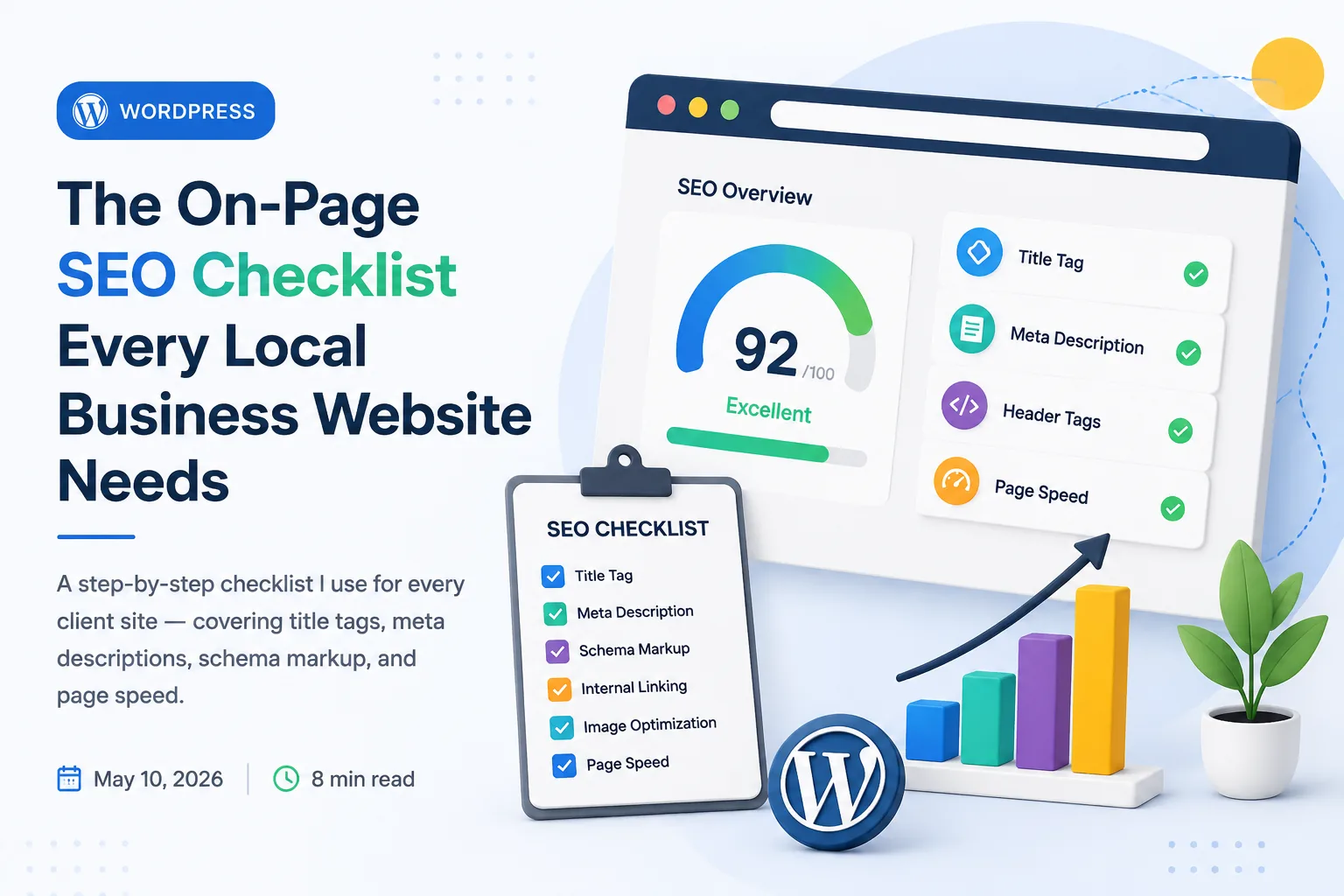
The Full Checklist
- ✓ Primary keyword in title tag, near the front, under 60 characters
- ✓ Compelling meta description under 155 characters with CTA
- ✓ Exactly one H1 per page containing the primary keyword
- ✓ Logical H2–H3 hierarchy matching user search intent
- ✓ LocalBusiness schema with NAP, hours, geo, sameAs
- ✓ Post name permalinks with keyword-rich slugs (lowercase, hyphens)
- ✓ All images: descriptive filenames, alt text, explicit dimensions
- ✓ Internal links from blog posts → service pages (keyword-rich anchor text)
- ✓ PageSpeed Insights score 80+ on desktop, 70+ on mobile
- ✓ NAP consistent across website, GBP, and all citations
- ✓ Google Map embedded on contact page
- ✓ Rank Math / Yoast: green score for focus keyword on every page